Loading the iframe
It's swift and easy to create your integration with idibu; you just need to send ALL the information required to handle the vacancy and user synchronisation to the iframe URL.
Endpoint URL
You will need to send an HTTP POST request to a specific endpoint_url for your CRM integration. The format of the URL should be: https://v3.idibu.com/c/integration/[crm_name]
[crm_name] will be the name value we provide for your CRM. Please contact us to request this integration name value, quoting the text above.
Note: Please make sure to only use HTTP POST rather than GET when generating the iframe.
Vacancy and user synchronisation rules
- Vacancy: You will pass a variable called
vacancy, which is a unique identifier. Typically, this can be the vacancy reference, but it must be something that your system's users cannot change or manipulate, and it must be unique across all your vacancies. - User: You will pass 4 pieces of user information:
- your system's unique user ID
- email address
- first name
- last name
We will use the above data to work out if a new Vacancy must be created or an existing one updated; and if it's an existing idibu user working on the Vacancy, or a new one.
Required variables
The following variables must be passed for the integration to work:
id- your application ID created previouslysecret- your application SECRET created previouslyvacancy- unique identifier of your vacancy- This will be used as the Job Reference parameter in idibu and will uniquely identify idibu vacancies for any connected entities (like candidates);
- Caution: If idibu users create multiple adverts connected to the vacancy, they will come with numbered suffixes (
-1,-2, and so on); these suffixes will need to be ignored when identifying the vacancy in your system.
title- vacancy titleuserid- your system's unique user ID- This ID will be automatically connected to idibu's user profile based on their email address; the connection can be manually broken by idibu support if requested
email- email address of the userfname- first name of the userlname- last name of the user
Example required variables URL to test with:
https://v3.idibu.com/c/integration/[crm_name]?id=<ID>&secret=<SECRET>&vacancy=12345&title=Test%20Vacancy%20Using%20idibu%20iFrame&userid=1234&email=test@test.com&fname=John&lname=Doe
Recommended variables
The following variables we highly recommend including in order to provide the best possible user experience to our mutual clients:
User group
group- group to assign the new user to. We recommend always using a default group because you can apply permissions to this group for all new users to inherit
Location
There are two options when specifying the Vacancy's location:
Either the numeric geolocation:
lat- Latitude valuelng- Longitude value
or the country and postcode data:
country- 2-letter ISO country codemap-postcode- postal (zip) code
idibu will use the Google location API to get the geolocation based on this data.
Note: if you supply both, the geolocation will take precedence.
Other variables
sector- Job sector (click here for available values)type- Job type (click here for available values)starts- vacancy start date - inyyyy-mm-ddformatcurrency- salary currency sent in standard 3-character ISO format (see https://www.iso.org/iso-4217-currency-codes.html)minsalary- minimum salary (e.g. 2000)maxsalary- maximum salary (e.g. 3000)per- salary payment interval (click here for available values)benefits- extra benefitssalarydesc- optional salary text override - if supported by the posting destination, it will be displayed instead of all the other salary datadescription- full description of the role (please see below for more info on HTML support and formatting)kws- search keywords (titlewill be used if this is not supplied) - improves auto-matching candidates to the vacancy, accepts booleanduration- textual description of the duration of a contract or temporary positionlpage- enable landing pages for this vacancylpageid- ID of the landing page to use with this vacancyappurl- external Application URL where candidates would be redirected instead of applying directly through idibu
Example recommended variables URL to test with:
https://v3.idibu.com/c/integration/[crm_name]?id=<ID>&secret=<SECRET>&vacancy=12345&title=Test%20Vacancy%20Using%20idibu%20iFrame&userid=1234&email=test@test.com&fname=John&lname=Doe&lat=51.0&lng=-0.1&type=1§or=18&starts=2017-06-24¤cy=GBP&minsalary=25000&maxsalary=35000&per=1&benefits=Premium%20Health%20Care&salarydesc=30000%20GBP%20or%20more&description=Lorem%20ipsum%20dolor%20sit%20amet%2C%20consectetur%20adipiscing%20elit.%20Aenean%20malesuada%20risus%20orci%2C%20vitae%20congue%20elit%20pulvinar%20a.%20Curabitur%20metus%20eros%2C%20accumsan%20a%20mi%20vitae%2C%20consequat%20finibus%20metus.%20Nam%20venenatis%20at%20orci%20quis%20convallis.%20%0D%0A%0D%0APellentesque%20nec%20quam%20laoreet%2C%20pretium%20ex%20sed%2C%20lacinia%20mi.%20Vestibulum%20tristique%2C%20magna%20eget%20dictum%20egestas%2C%20felis%20erat%20malesuada%20lorem%2C%20vitae%20sollicitudin%20lacus%20quam%20sed%20risus.%20Proin%20feugiat%20bibendum%20ligula%20non%20venenatis.%20Phasellus%20tincidunt%20metus%20at%20tellus%20rhoncus%2C%20ac%20hendrerit%20est%20blandit.
Description & formatting
For the description parameter:
- Please use UTF-8 encoding.
- Use HTML formatting and, even if you don't support it, please always send
<br />tags instead of plain-text newlines (or control the paragraphs using<p>tags). - idibu only supports the following HTML tags:
bstrongiemuulollibrphrdivspanprecode
- However, even though idibu will pass whatever is provided over to the Portals, it is strongly suggested to only use the most basic formatting (limited to the tags above in bold), as many websites won't accept more detailed formatting - potentially resulting in your clients' postings being either misformatted or rejected.
Important! Re-synching existing Vacancies
Please keep in mind that if Advert data has already been created for a Vacancy (even if no Advert has been posted out yet), the above variables that you pass to the iframe will NOT update the parameters that have been previously set on the Vacancy. The Advert data is created and associated with the Vacancy at the moment of clicking the "Choose posting destinations" button and loading the final posting step, where the destinations are selected.
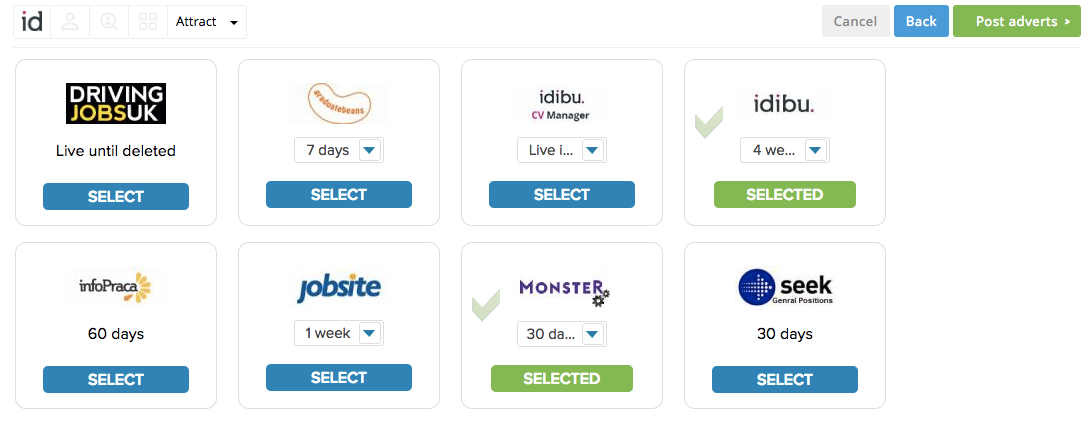 Reaching this page means the iframe URL parameters will not update the Vacancy anymore.
This is because we consider the data present in the idibu system to be the final source of truth. After syncing your Vacancy data into idibu, your users may update some of the Vacancy details there as part of the posting process. These updated details would then be lost if overridden by your system's data when re-opening the existing Vacancy in the iframe again - which is why we do not allow such a scenario currently.