Post Completion Page
The PCP is an HTML interface that is meant to constitute the final step of posting, where the user selects Portals and fills in their individual Extra Fields. It is generated if, as part of the API posting XML - through the Add, Repost, or Clone methods - not enough Portal-specific information is provided to successfully perform a Direct Posting.
A PCP generation is indicated by the job status="delayed" in the API posting response, followed by the postcompletionurl element that contains the URL of the Post Completion Page specific to that posting.
PCP is also always generated - serving as the second step of the posting process - if Universal Posting Page is used. You can embed it in an iframe or just redirect to it from your system; and you can style it using custom CSS.
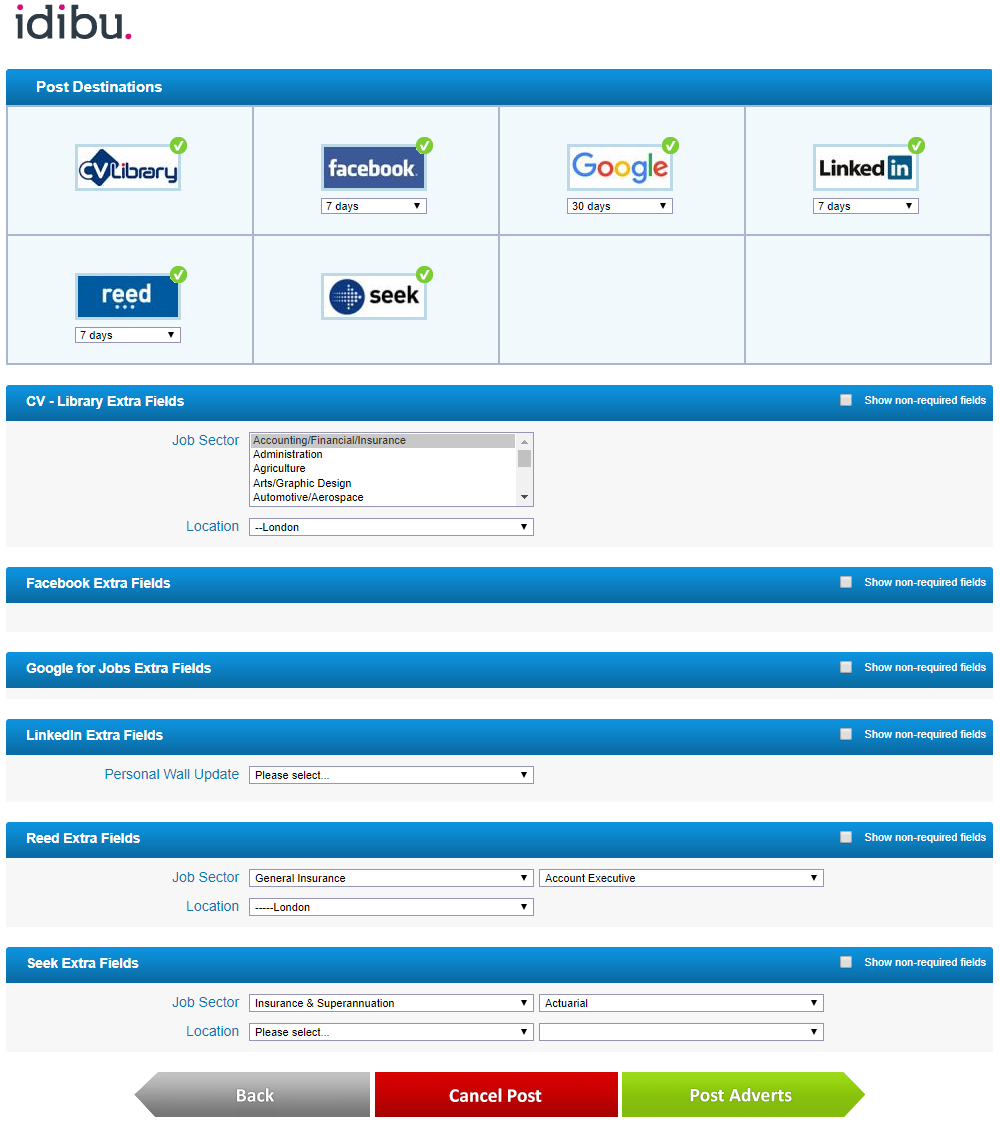
Aside from the customizable CSS, a Post Completion Page is a fully independent page, controlled by idibu, that comes with the complete functionality of:
- displaying and selecting Portals to which the account is subscribed;
- blocking specific Portal selection on missing quotas or logins;
- specifying posting duration;
- blocking duration selection if dictated by settings;
- blocking, defaulting, or forcing specific Portal selection if dictated by settings;
- displaying all up-to-date Extra Fields and their values;
- requiring or hiding non-mandatory Extra Fields according to settings;
- finalizing or cancelling the posting process.
Refer to the Config section documentation to find out how some behavior aspects of the Post Completion Pages can be adjusted to fit in your workflow.
A Post Completion Page will always be generated if:
- In the Config section:
lockboardsis set tonooryes_pcp.
- In the Posts section:
- at least one required Extra Field is missing (or contains wrong data);
- the provided
board idvalues are wrong, or the account is not subscribed to any of them, resulting in idibu finding no valid Portals to post to; - the
duration daysvalue for at least one of theboarditems is incorrect or missing; - no
boardelements are provided at all.
Consult the Creating and managing postings section where the concept of Direct Posting vs. PCP is discussed in more detail; and where each individual method specifies the full format and examples of requests and responses specific to both Direct Posting and Post Completion Page.